Console
If your API request isn't behaving as expected, there can be many possible reasons. To find out what the problem is, you can use the NativeRest Console to troubleshoot your request.
หากคำขอ API ของคุณไม่ได้ทำตามที่คาดไว้อาจมีสาเหตุที่เป็นไปได้มากมาย หากต้องการทราบว่าปัญหาคืออะไรคุณสามารถใช้คอนโซล Nativerest เพื่อแก้ไขปัญหาคำขอของคุณ]
Every request sent by NativeRest is logged in the NativeRest Console, so you can view the detail of what happened when you sent a request. The NativeRest Console logs the following information:
[ทุกคำขอที่ส่งโดย Nativerest จะถูกบันทึกไว้ในคอนโซล Nativerest ดังนั้นคุณสามารถดูรายละเอียดของสิ่งที่เกิดขึ้นเมื่อคุณส่งคำขอ คอนโซล Nativerest บันทึกข้อมูลต่อไปนี้:]
- Method
- URL address
- Headers
- Request body
Open the Console by selecting Console icon in the NativeRest footer.
[เปิดคอนโซลโดยเลือกไอคอนคอนโซลในส่วนท้ายของ Nativerest]
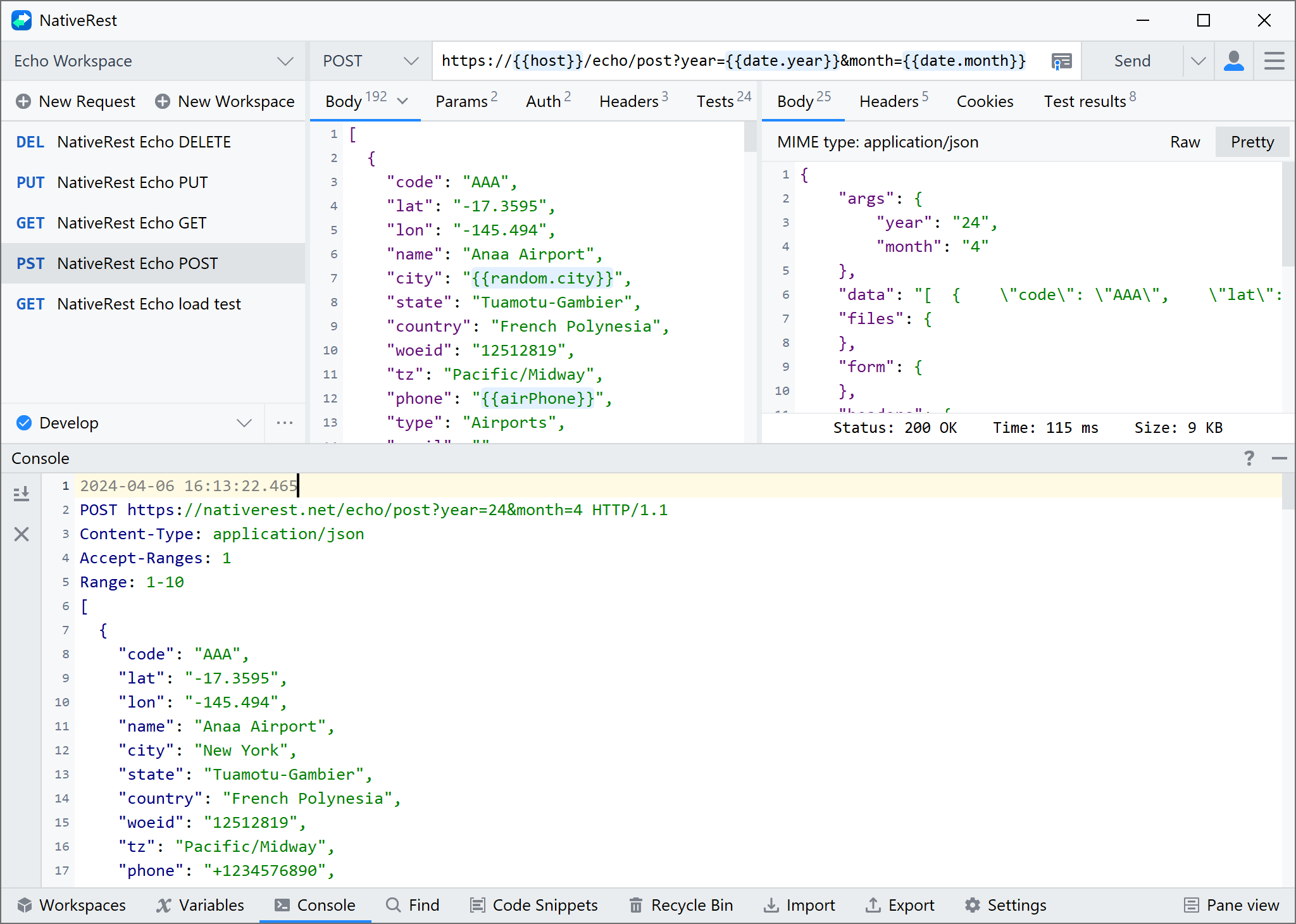
There are 2 buttons available on the left toolbar. Scroll down the console and Clear.
[มี 2 ปุ่มบนแถบเครื่องมือด้านซ้าย เลื่อนลงคอนโซลและชัดเจน]