Find Request
In NativeRest, you can perform a global search for a given phrase across all requests in the current workspace.
[ใน Nativerest คุณสามารถทำการค้นหาทั่วโลกสำหรับวลีที่กำหนดในคำขอทั้งหมดในพื้นที่ทำงานปัจจุบัน]
Finding requests in NativeRest
There is 2 option to open Find panel. [มี 2 ตัวเลือกในการเปิดแผงค้นหา]
- Select Find at the bottom of the window. [เลือกค้นหาที่ด้านล่างของหน้าต่าง]
- Use shortcut Ctrl + F. [ใช้ทางลัด Ctrl + F]
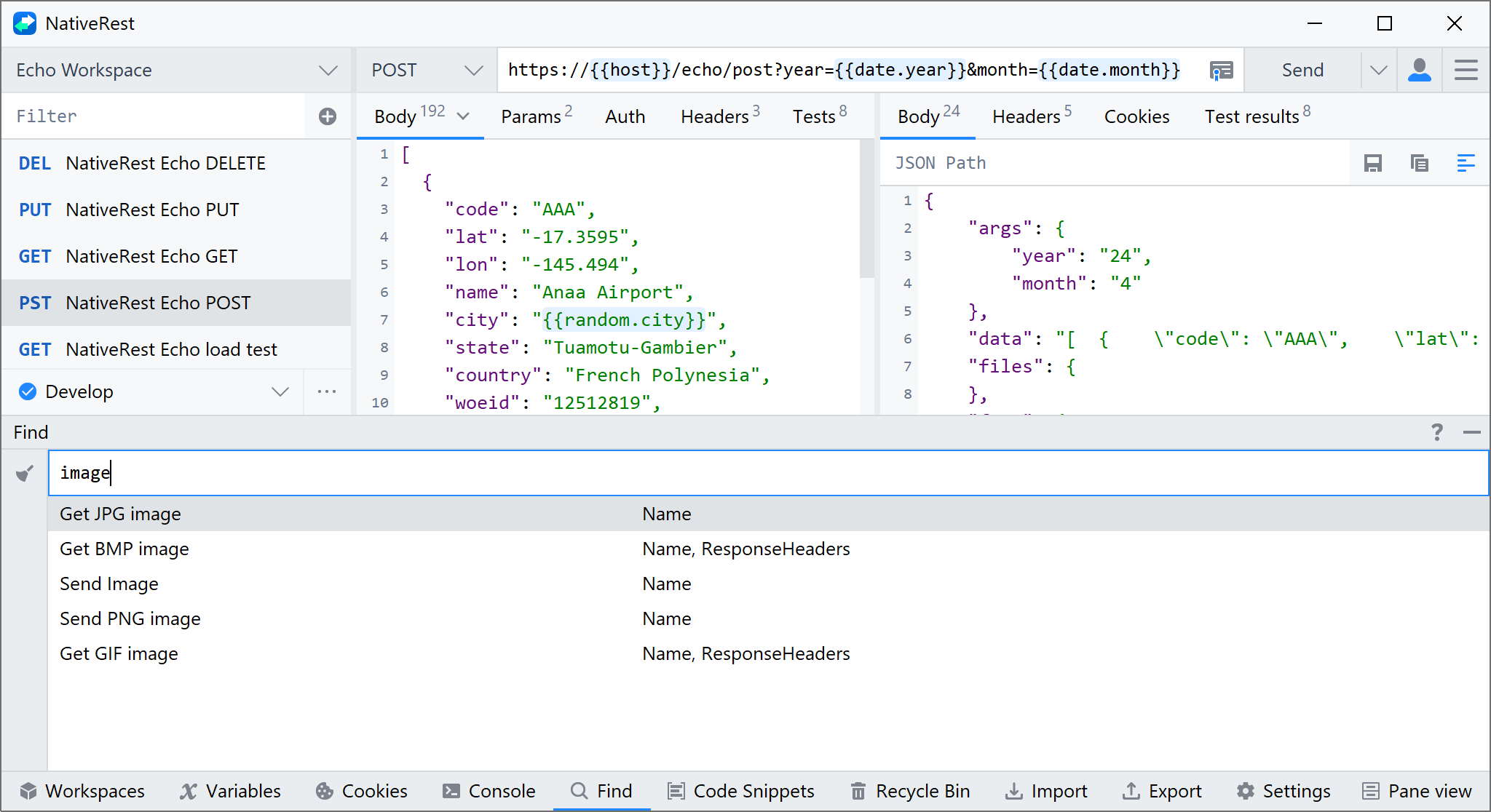
Double-click on the results list to go to the request.
[ดับเบิลคลิกที่รายการผลลัพธ์เพื่อไปที่คำขอ]
The substring search is performed in the following fields:
[การค้นหา substring ดำเนินการในฟิลด์ต่อไปนี้:]
- Name
- Method
- URL
- Body
- Headers
- Tests
- Cookies