Generate Code Snippet
Code snippets are sample code fragments that are generated automatically. You can then use the generated code snippet in your front-end application to make calls to an API. NativeRest supports over fifteen programmings languages.
[ตัวอย่างโค้ดเป็นชิ้นส่วนโค้ดตัวอย่างที่สร้างขึ้นโดยอัตโนมัติ จากนั้นคุณสามารถใช้ตัวอย่างโค้ดที่สร้างขึ้นในแอปพลิเคชันส่วนหน้าของคุณเพื่อโทรไปยัง API Nativerest รองรับการเขียนโปรแกรมมากกว่าสิบห้าภาษา]
Generate code snippets in NativeRest
There is 2 option to open Code Snippets panel.
[มี 2 ตัวเลือกในการเปิดแผงโค้ดตัวอย่าง]
- Select Code Snippets at the bottom of the window. [เลือกตัวอย่างโค้ดที่ด้านล่างของหน้าต่าง]
- Use shortcut Ctrl + G. [ใช้ทางลัด Ctrl + g]
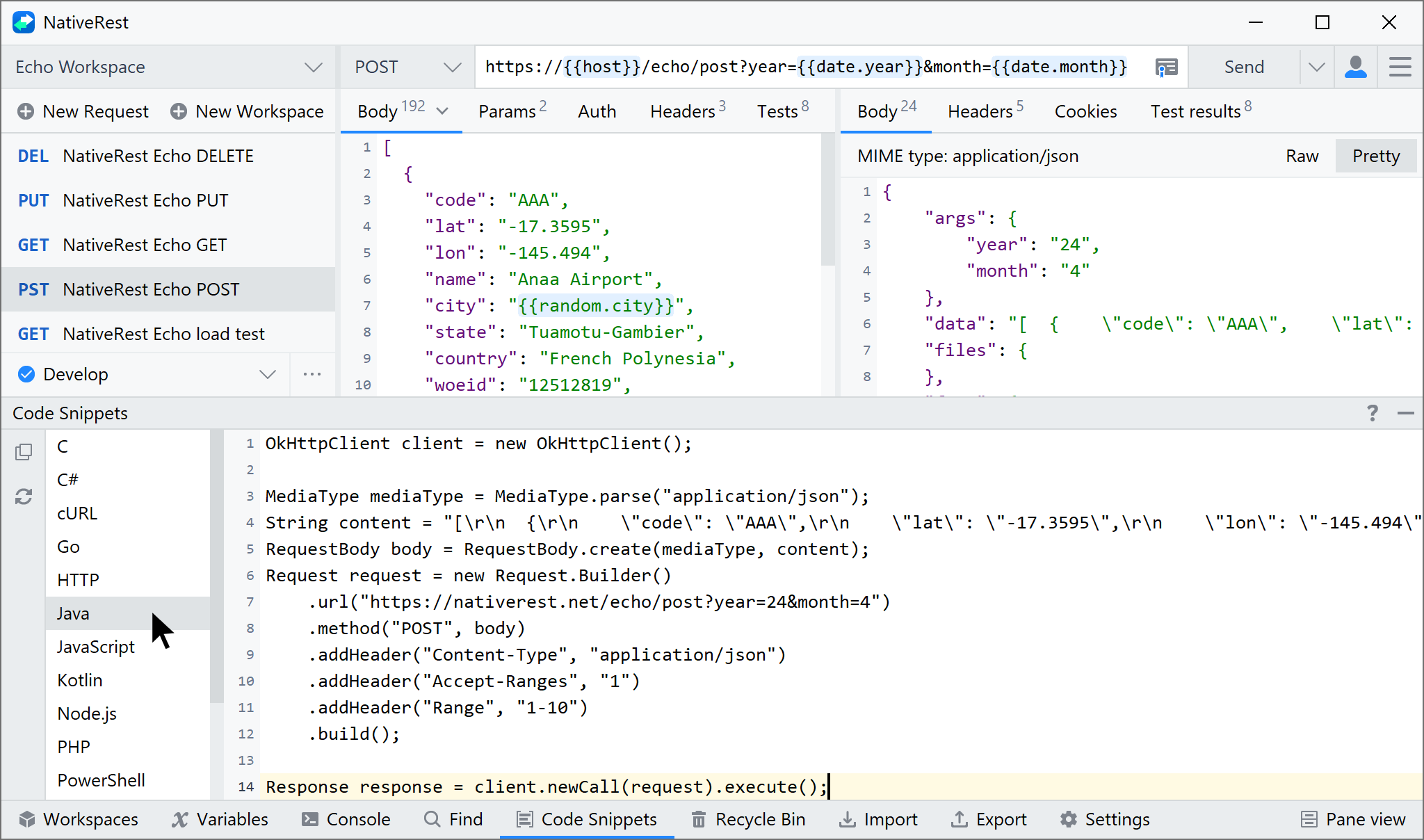
The left side of the panel displays a list of available languages.
[ด้านซ้ายของแผงแสดงรายการภาษาที่มีอยู่]
From here, choose the language and library you want, then copy the snippet into your codebase.
[จากที่นี่เลือกภาษาและไลบรารีที่คุณต้องการจากนั้นคัดลอกตัวอย่างลงใน codebase ของคุณ]
Supported languages and frameworksภาษาและเฟรมเวิร์กที่รองรับ
NativeRest supports the following languages and frameworks:
[Nativerest รองรับภาษาและเฟรมเวิร์กต่อไปนี้:]
| Language | Framework |
|---|---|
| C | LibCurl |
| C# | RestSharp |
| cURL | cURL |
| Go | HTTP package |
| HTTP | Raw HTTP |
| Java | OkHttp |
| JavaScript | Fetch |
| Kotlin | OkHttp |
| Node.js | Fetch |
| PHP | cURL |
| PowerShell | RestMethod |
| Python | Requests |
| Ruby | NET::Http |
| Shell | wget |
| Swift | URLSession |
To add a new language or setting, you can send feature request.
[ในการเพิ่มภาษาหรือการตั้งค่าใหม่คุณสามารถส่งคำขอคุณสมบัติ]