Echo API
You can use the NativeRest Echo API to try out requests in NativeRest. The API echoes back what you sent it, including each of the data items you included in the request as part of the response. Check out the Echo API documentation to see the available endpoints.
[คุณสามารถใช้ Nativerest Echo API เพื่อลองใช้คำขอใน Nativerest API สะท้อนสิ่งที่คุณส่งรวมถึงรายการข้อมูลแต่ละรายการที่คุณรวมไว้ในคำขอเป็นส่วนหนึ่งของการตอบกลับ ตรวจสอบเอกสาร Echo API เพื่อดูจุดสิ้นสุดที่มีอยู่]
For example, in NativeRest, open a new request and enter the following URL:
[ตัวอย่างเช่นใน Nativerest เปิดคำขอใหม่และป้อน URL ต่อไปนี้:]
https://nativerest.net/echo/getMake sure GET is selected in the method drop-down, and click Send.
[ตรวจสอบให้แน่ใจว่าได้รับการเลือกในเมธอดแบบเลื่อนลงแล้วคลิกส่ง]
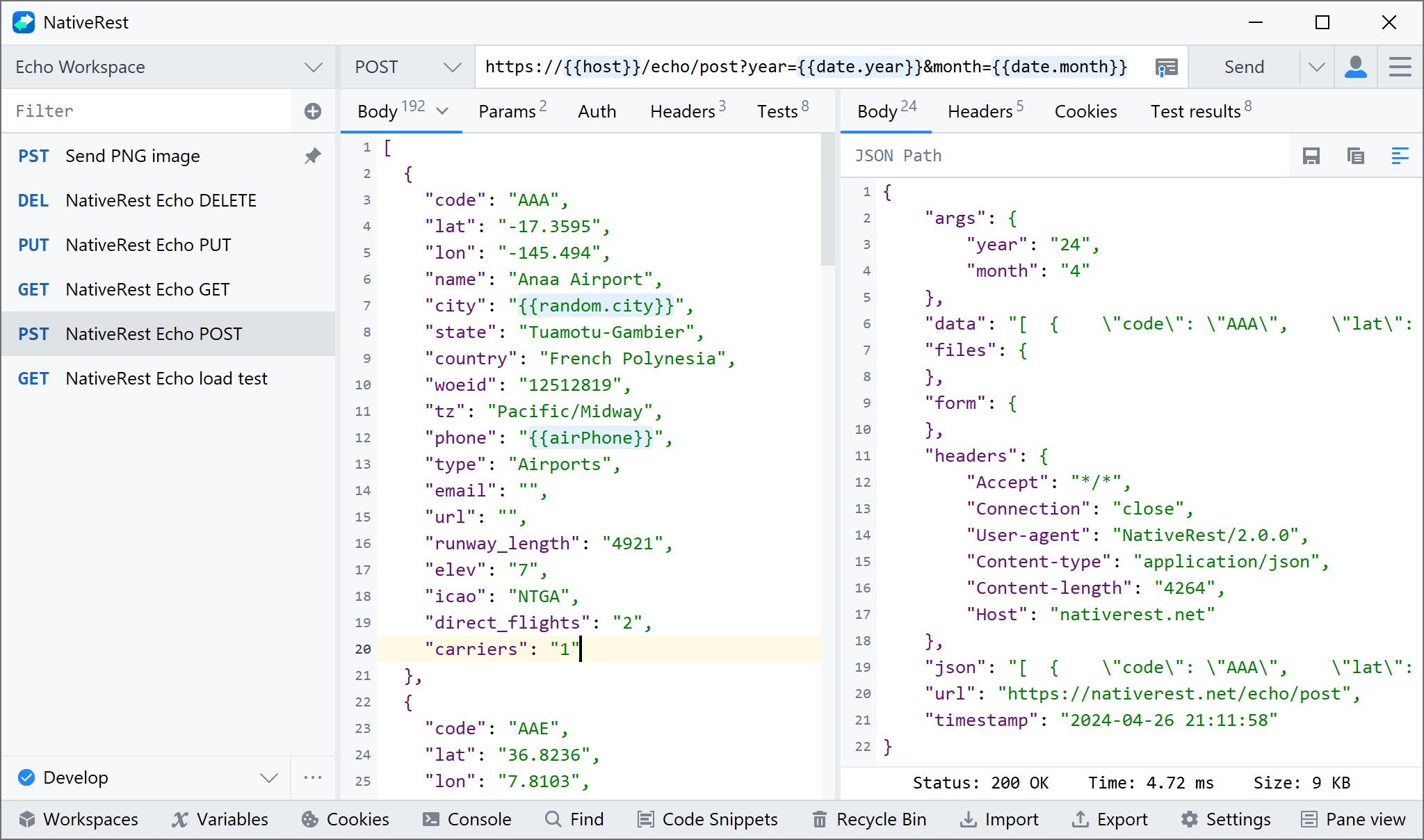
The API returns a JSON response including the detail from the request you sent. If you use parameters and/or body data, it will also return those.
[API ส่งคืนการตอบกลับ JSON รวมถึงรายละเอียดจากคำขอที่คุณส่ง หากคุณใช้พารามิเตอร์และ/หรือข้อมูลร่างกายมันจะส่งคืนเหล่านั้นด้วย]
The Echo API includes endpoints to try different request methods, parameters, authentication, and a variety of supporting utilities.
[Echo API รวมถึงจุดสิ้นสุดในการลองใช้วิธีการร้องขอที่แตกต่างกันพารามิเตอร์การตรวจสอบและความหลากหลายของยูทิลิตี้ที่สนับสนุน]
GET Request
https://nativerest.net/echo/get?foo1=bar1&foo2=bar2POST Request
https://nativerest.net/echo/postPUT Request
https://nativerest.net/echo/putDELETE Request
https://nativerest.net/echo/delete