Use a Proxy Server
A proxy server is an intermediary server that retrieves data from an Internet source, such as a webpage, on behalf of a user. They act as additional data security boundaries protecting users from malicious activity on the internet.
[พร็อกซีเซิร์ฟเวอร์เป็นเซิร์ฟเวอร์ตัวกลางที่ดึงข้อมูลจากแหล่งอินเทอร์เน็ตเช่นหน้าเว็บในนามของผู้ใช้ พวกเขาทำหน้าที่เป็นขอบเขตความปลอดภัยของข้อมูลเพิ่มเติมปกป้องผู้ใช้จากกิจกรรมที่เป็นอันตรายบนอินเทอร์เน็ต]
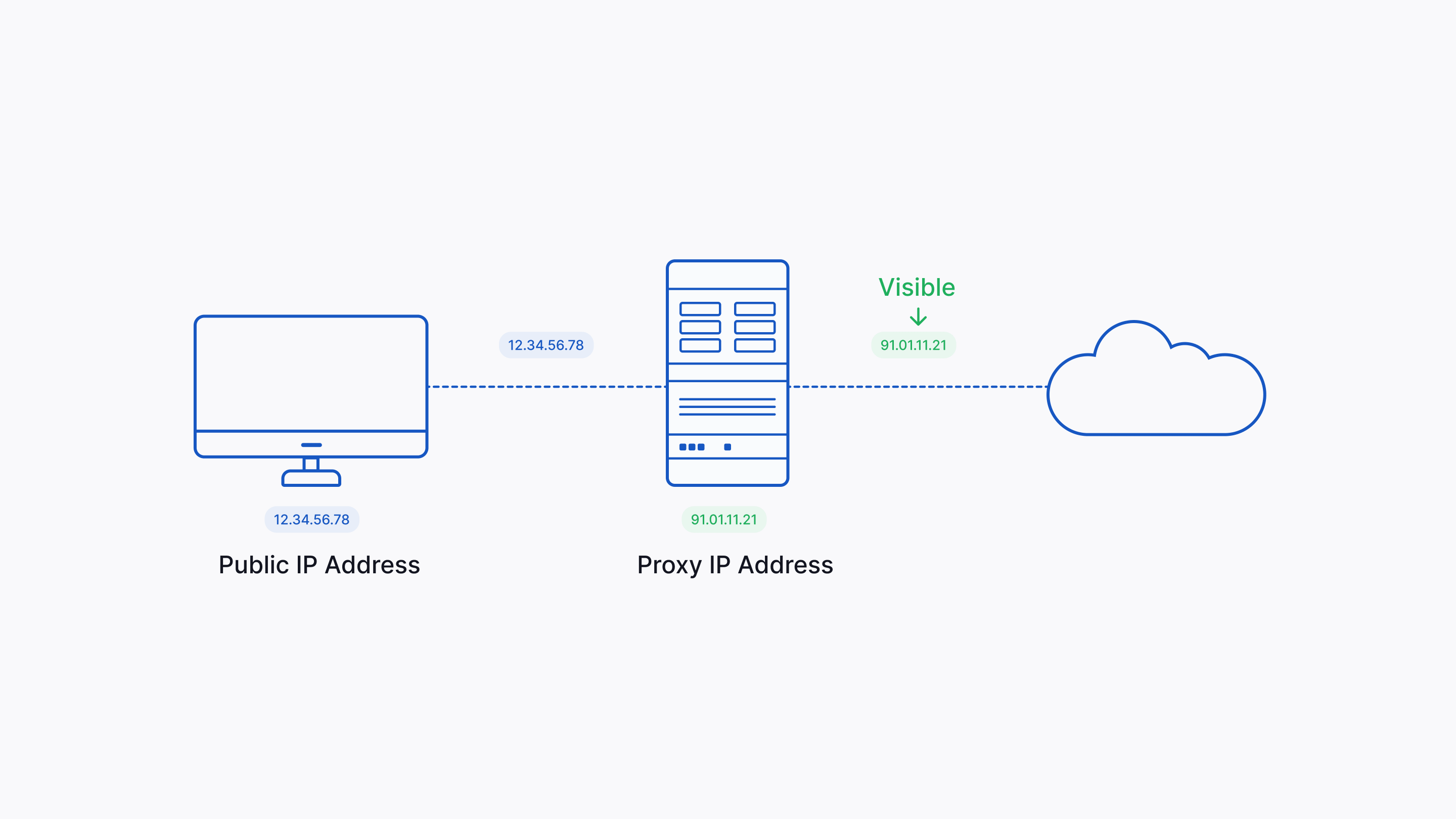
By default, the NativeRest does not use proxy to send API requests or access the internet. You can use preconfigured proxy server from NativeRest or custom proxy configuration.
[โดยค่าเริ่มต้น Nativerest จะไม่ใช้พร็อกซีเพื่อส่งคำขอ API หรือเข้าถึงอินเทอร์เน็ต คุณสามารถใช้พร็อกซีเซิร์ฟเวอร์ที่กำหนดค่าไว้ล่วงหน้าจากการกำหนดค่าพร็อกซีที่กำหนดเองหรือกำหนดเอง]
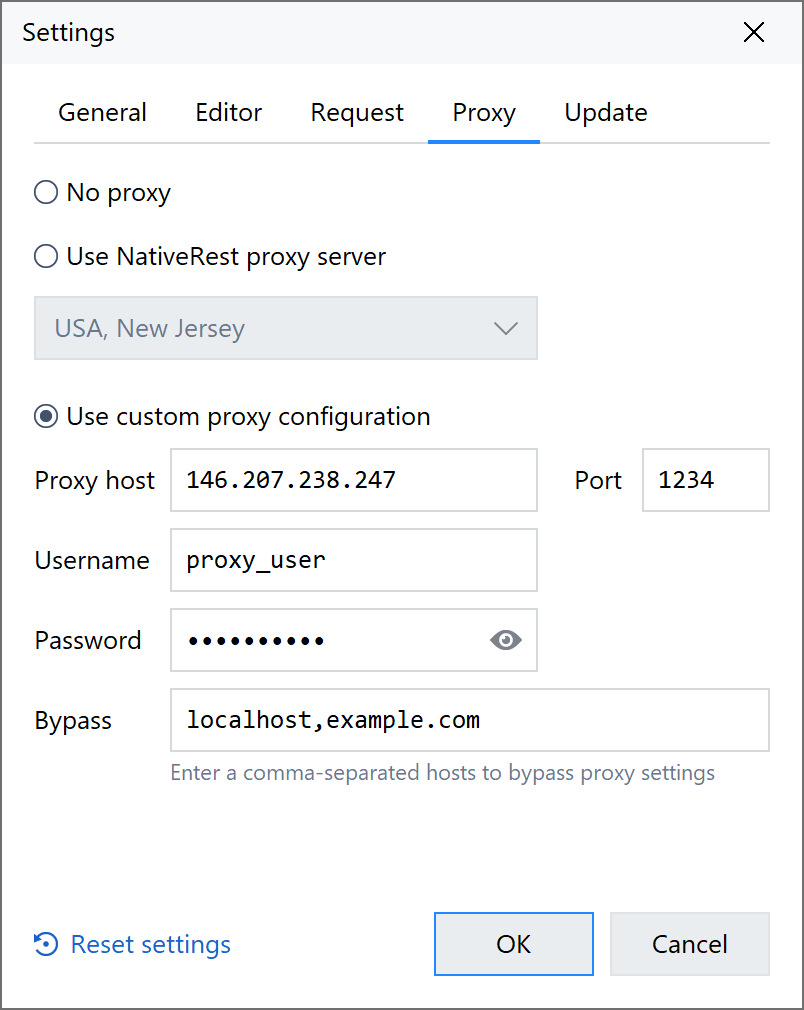
High-performance preconfigured proxy server is only available for license users (Cloud plan). If you want to set up your proxy settings manually, select Use custom proxy configuration in the proxy settings panel. Enter information about the custom proxy: Proxy host, port, username, password, Bypass - a comma-separated list of hosts. Requests sent to these hosts won't use the custom proxy.
[พร็อกซีเซิร์ฟเวอร์ Prexy Prexy ที่มีประสิทธิภาพสูงใช้ได้เฉพาะสำหรับผู้ใช้ใบอนุญาต (แผนคลาวด์) หากคุณต้องการตั้งค่าการตั้งค่าพร็อกซีของคุณด้วยตนเองเลือกใช้การกำหนดค่าพร็อกซีที่กำหนดเองในแผงการตั้งค่าพร็อกซี ป้อนข้อมูลเกี่ยวกับพร็อกซีที่กำหนดเอง: พร็อกซีโฮสต์, พอร์ต, ชื่อผู้ใช้, รหัสผ่าน, บายพาส - รายการโฮสต์ที่คั่นด้วยเครื่องหมายจุลภาค คำขอที่ส่งไปยังโฮสต์เหล่านี้จะไม่ใช้พร็อกซีที่กำหนดเอง]